 Tardigrade-nx
351Files
A single panel file Manager tailored for Anbernic 351 devices: RG351V and RG351P. Can be easily adapted to any Linux-based device.
Based on DinguxCommander.
- Original page: http://beyondds.free.fr/index.php?Dingoo-dinguxcommander
- Up-to-date project: https://github.com/EmuELEC/rs97-commander-sdl2
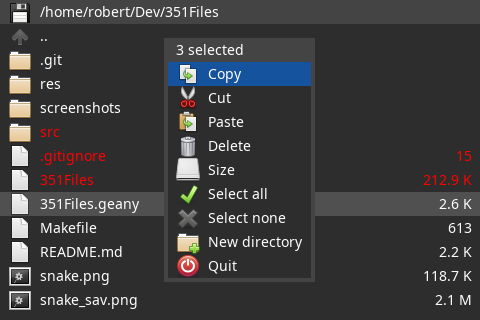
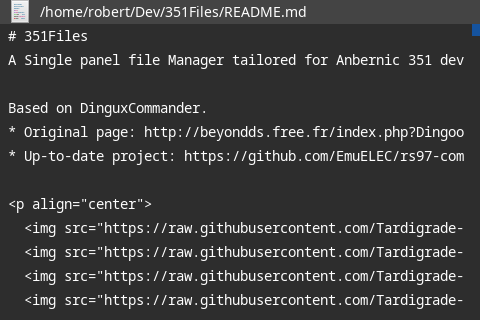
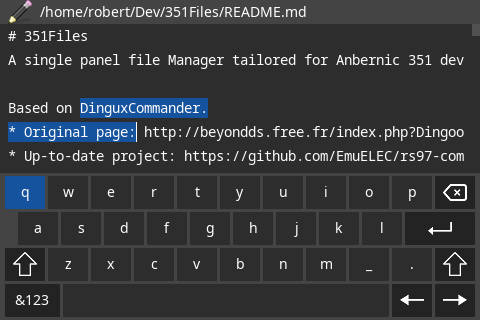
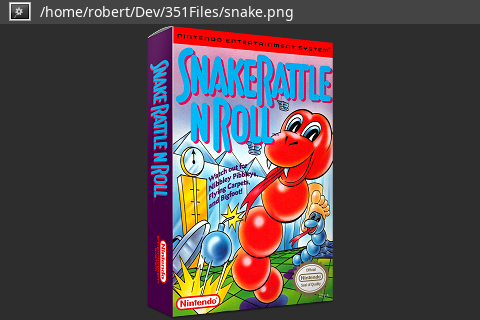
Features:
- Single panel file manager
- Copy, move, rename, delete, create directories and files.
- Display file size, compute directory size
- Text file viewer
- Text file editor
- Image viewer (original size or fit screen, next / previous image)
Installation on 351ELEC:
351Files should be integrated in 351ELEC as an alternative file manager, in a future version. Until then, you can install it manually with the following procedure:
- Download the latest release for your device (351Files-vx.x_<device>_351ELEC.tgz)
- Uncompress the .tgz file on your SD card in: /storage/roms/ports
- Edit file /storage/roms/ports/gamelist.xml, and add:
	<game>
		<path>./351Files.sh</path>
		<name>351Files</name>
		<desc>Single panel file manager</desc>
		<image>/storage/.config/distribution/modules/downloaded_images/filemanager.png</image>
		<thumbnail>/storage/.config/distribution/modules/downloaded_images/filemanager-thumb.png</thumbnail>
		<video></video>
		<rating>1.0</rating>
		<releasedate>20210703T000000</releasedate>
		<developer>Tardigrade</developer>
		<publisher>non-commercial</publisher>
	</game>
- Restart EmulationStation. '351Files' should now be an entry in the 'ports' menu.
Installation on ArkOS:
351Files should be integrated in ArkOS, in a future version. Until then, you can install it manually with the following procedure:
- Download the latest release for your device (351Files-vx.x_<device>_ArkOS.tgz)
- Uncompress the .tgz file on your SD card in: /roms/ports
- Edit file /roms/ports/gamelist.xml, and add:
	<game>
		<path>./351Files.sh</path>
		<name>351Files</name>
		<playcount>0</playcount>
		<lastplayed></lastplayed>
	</game>
- Restart EmulationStation. '351Files' should now be an entry in the 'ports' menu.
Buttons:
- d-pad: move
- A: open / validate
- B: cancel / back
- X: open context menu
- Y: select / unselect item
- R1/R2: page down
- L1/L2 : page up
Image viewer:
- d-pad: next / previous image, or scroll image
- A: switch original size / fit screen
Text editor:
- d-pad: move
- A: open virtual keyboard / validate
- B: cancel / back
- X: open context menu
- Y + d-pad: select text
- R1/R2: page down
- L1/L2 : page up
Building
package requirements: SDL2 SDL2_image SDL2_ttf SDL2-dev SDL2_image-dev SDL2_ttf-dev
git clone https://github.com/christianhaitian/351Files.git cd 351Files
For 351V and 351ELEC
./build_RG351.sh RG351V 351ELEC /storage/roms ./res
For 351P and 351ELEC
./build_RG351.sh RG351P 351ELEC /storage/roms ./res
For 351V and ArkOS
./build_RG351.sh RG351V ArkOS /roms ./res
For 351P and ArkOS
./build_RG351.sh RG351P ArkOS /roms ./res
For RGB10/OGA 1.1 (BE) and ArkOS
./build_RG351.sh RGB10 ArkOS /roms ./res
For RK2020/OGA 1.0 and ArkOS
./build_RG351.sh RK2020 ArkOS /roms ./res
For CHI and ArkOS
./build_RG351.sh CHI ArkOS /roms ./res
Copy the res folder to your preferred folder location along with the 351Files executable.
You can also just grab the generated .tgz file and do as instructed in the installation section above in this readme.
Compilation:
Define the following variables when executing 'make':
- CC
- SDL2_CONFIG
- DEVICE: CHI / RG351P / RG351V / RGB10 / RK2020 / PC
- START_PATH
- RES_PATH