mirror of
https://github.com/wavetermdev/backup.git
synced 2026-04-22 15:26:58 -07:00
Compare commits
1 Commits
| Author | SHA1 | Date | |
|---|---|---|---|
 Evan Simkowitz Evan Simkowitz
|
a3fda80fe3 |
@@ -1,19 +1,25 @@
|
||||
name: "Build Helper"
|
||||
on: workflow_dispatch
|
||||
env:
|
||||
GO_VERSION: "1.22.0"
|
||||
GO_VERSION: "1.21.5"
|
||||
NODE_VERSION: "21.5.0"
|
||||
jobs:
|
||||
runbuild:
|
||||
outputs:
|
||||
WAVETERM_VERSION: ${{ steps.set-version.outputs.WAVETERM_VERSION }}
|
||||
strategy:
|
||||
matrix:
|
||||
include:
|
||||
- platform: "darwin"
|
||||
arch: "universal"
|
||||
arch: "x64"
|
||||
runner: "macos-latest"
|
||||
scripthaus: "build-package"
|
||||
- platform: "darwin"
|
||||
arch: "arm64"
|
||||
runner: "macos-latest-xlarge"
|
||||
scripthaus: "build-package"
|
||||
- platform: "linux"
|
||||
arch: "amd64"
|
||||
arch: "x64"
|
||||
runner: "ubuntu-latest"
|
||||
scripthaus: "build-package-linux"
|
||||
runs-on: ${{ matrix.runner }}
|
||||
@@ -23,11 +29,6 @@ jobs:
|
||||
with:
|
||||
repository: scripthaus-dev/scripthaus
|
||||
path: scripthaus
|
||||
- name: Install Linux Build Dependencies (Linux only)
|
||||
if: matrix.platform == 'linux'
|
||||
run: |
|
||||
sudo apt-get update
|
||||
sudo apt-get install --no-install-recommends -y libarchive-tools libopenjp2-tools rpm
|
||||
- uses: actions/setup-go@v5
|
||||
with:
|
||||
go-version: ${{env.GO_VERSION}}
|
||||
@@ -35,35 +36,39 @@ jobs:
|
||||
wavesrv/go.sum
|
||||
waveshell/go.sum
|
||||
scripthaus/go.sum
|
||||
- name: Install Scripthaus
|
||||
run: |
|
||||
- run: |
|
||||
go work use ./scripthaus;
|
||||
cd scripthaus;
|
||||
go get ./...;
|
||||
CGO_ENABLED=1 go build -o scripthaus cmd/main.go
|
||||
echo $PWD >> $GITHUB_PATH
|
||||
- uses: actions/setup-node@v4
|
||||
with:
|
||||
node-version: ${{env.NODE_VERSION}}
|
||||
cache: "yarn"
|
||||
- name: Set Version
|
||||
id: set-version
|
||||
- id: set-version
|
||||
run: |
|
||||
VERSION=$(node -e 'console.log(require("./version.js"))')
|
||||
echo "WAVETERM_VERSION=${VERSION}" >> "$GITHUB_OUTPUT"
|
||||
- name: Install Yarn Dependencies
|
||||
run: yarn --frozen-lockfile
|
||||
- name: Build ${{ matrix.platform }}/${{ matrix.arch }}
|
||||
run: scripthaus run ${{ matrix.scripthaus }}
|
||||
env:
|
||||
GOARCH: ${{ matrix.arch }}
|
||||
CSC_LINK: ${{ matrix.platform == 'darwin' && secrets.PROD_MACOS_CERTIFICATE}}
|
||||
CSC_KEY_PASSWORD: ${{ matrix.platform == 'darwin' && secrets.PROD_MACOS_CERTIFICATE_PWD }}
|
||||
APPLE_ID: ${{ matrix.platform == 'darwin' && secrets.PROD_MACOS_NOTARIZATION_APPLE_ID }}
|
||||
APPLE_APP_SPECIFIC_PASSWORD: ${{ matrix.platform == 'darwin' && secrets.PROD_MACOS_NOTARIZATION_PWD }}
|
||||
APPLE_TEAM_ID: ${{ matrix.platform == 'darwin' && secrets.PROD_MACOS_NOTARIZATION_TEAM_ID }}
|
||||
- name: Upload to S3 staging
|
||||
run: aws s3 cp make/ s3://waveterm-github-artifacts/staging/${{ steps.set-version.outputs.WAVETERM_VERSION }}/ --recursive --exclude "*/*" --exclude "builder-*.yml"
|
||||
- run: yarn --frozen-lockfile
|
||||
- run: ./scripthaus/scripthaus run ${{ matrix.scripthaus }}
|
||||
- uses: actions/upload-artifact@v4
|
||||
with:
|
||||
name: waveterm-build-${{ matrix.platform }}-${{ matrix.arch }}
|
||||
path: out/make/zip/${{ matrix.platform }}/${{ matrix.arch }}/*.zip
|
||||
retention-days: 2
|
||||
upload:
|
||||
name: "Upload Builds"
|
||||
runs-on: ubuntu-latest
|
||||
needs: [runbuild]
|
||||
steps:
|
||||
- uses: actions/download-artifact@v4
|
||||
with:
|
||||
merge-multiple: true
|
||||
path: buildtemp
|
||||
- run: |
|
||||
echo "${{ needs.runbuild.outputs.WAVETERM_VERSION }}" > buildtemp/version.txt
|
||||
- run: (cd buildtemp; zip ../waveterm-builds.zip *)
|
||||
- run: aws s3 cp waveterm-builds.zip s3://waveterm-github-artifacts/
|
||||
env:
|
||||
AWS_ACCESS_KEY_ID: "${{ secrets.S3_USERID }}"
|
||||
AWS_SECRET_ACCESS_KEY: "${{ secrets.S3_SECRETKEY }}"
|
||||
|
||||
@@ -47,32 +47,6 @@ jobs:
|
||||
- name: Checkout repository
|
||||
uses: actions/checkout@v4
|
||||
|
||||
- name: Checkout Scripthaus (Go only)
|
||||
if: matrix.language == 'go'
|
||||
uses: actions/checkout@v4
|
||||
with:
|
||||
repository: scripthaus-dev/scripthaus
|
||||
path: scripthaus
|
||||
|
||||
- name: Setup Go (Go only)
|
||||
uses: actions/setup-go@v5
|
||||
if: matrix.language == 'go'
|
||||
with:
|
||||
go-version: stable
|
||||
cache-dependency-path: |
|
||||
wavesrv/go.sum
|
||||
waveshell/go.sum
|
||||
scripthaus/go.sum
|
||||
|
||||
- name: Install Scripthaus (Go only)
|
||||
if: matrix.language == 'go'
|
||||
run: |
|
||||
go work use ./scripthaus;
|
||||
cd scripthaus;
|
||||
go get ./...;
|
||||
CGO_ENABLED=1 go build -o scripthaus cmd/main.go
|
||||
echo $PWD >> $GITHUB_PATH
|
||||
|
||||
# Initializes the CodeQL tools for scanning.
|
||||
- name: Initialize CodeQL
|
||||
uses: github/codeql-action/init@v3
|
||||
@@ -87,14 +61,9 @@ jobs:
|
||||
|
||||
# Autobuild attempts to build any compiled languages (C/C++, C#, Go, Java, or Swift).
|
||||
# If this step fails, then you should remove it and run the build manually (see below)
|
||||
- name: Autobuild (not Go)
|
||||
if: matrix.language != 'go'
|
||||
- name: Autobuild
|
||||
uses: github/codeql-action/autobuild@v3
|
||||
|
||||
- name: Build (Go only)
|
||||
if: matrix.language == 'go'
|
||||
run: scripthaus run build-backend
|
||||
|
||||
# ℹ️ Command-line programs to run using the OS shell.
|
||||
# 📚 See https://docs.github.com/en/actions/using-workflows/workflow-syntax-for-github-actions#jobsjob_idstepsrun
|
||||
|
||||
|
||||
@@ -1,65 +0,0 @@
|
||||
name: TestDriver.ai Regression Testing
|
||||
on:
|
||||
push:
|
||||
branches:
|
||||
- main
|
||||
pull_request:
|
||||
branches:
|
||||
- main
|
||||
schedule:
|
||||
- cron: 0 21 * * *
|
||||
workflow_dispatch: null
|
||||
|
||||
permissions:
|
||||
contents: read # To allow the action to read repository contents
|
||||
pull-requests: write # To allow the action to create/update pull request comments
|
||||
|
||||
jobs:
|
||||
test:
|
||||
name: TestDriver
|
||||
runs-on: ubuntu-latest
|
||||
steps:
|
||||
- uses: dashcamio/testdriver@main
|
||||
id: testdriver
|
||||
with:
|
||||
version: v2.10.2
|
||||
prerun: |
|
||||
rm ~/Desktop/WITH-LOVE-FROM-AMERICA.txt
|
||||
cd ~/actions-runner/_work/testdriver/testdriver/
|
||||
brew install go
|
||||
brew tap scripthaus-dev/scripthaus
|
||||
brew install scripthaus
|
||||
npm install -g yarn
|
||||
scripthaus run build-backend
|
||||
echo "Yarn"
|
||||
yarn
|
||||
echo "Rebuild"
|
||||
scripthaus run electron-rebuild
|
||||
echo "Webpack"
|
||||
scripthaus run webpack-build
|
||||
echo "Starting Electron"
|
||||
scripthaus run electron 1>/dev/null 2>&1 &
|
||||
echo "Electron Done"
|
||||
exit
|
||||
prompt: |
|
||||
1. wait 10 seconds
|
||||
1. click "Continue"
|
||||
1. click "Create new tab"
|
||||
1. validate that overlapping text does not appear in the application
|
||||
1. focus the Wave input with the keyboard shorcut Command + I
|
||||
1. type 'ls' into the input
|
||||
1. press return
|
||||
1. validate Wave shows the result of 'ls'
|
||||
env:
|
||||
GITHUB_TOKEN: ${{ secrets.GITHUB_TOKEN }}
|
||||
- uses: peter-evans/create-or-update-comment@v4
|
||||
if: ${{always()}}
|
||||
with:
|
||||
issue-number: ${{ github.event.pull_request.number }}
|
||||
body: |
|
||||
## TestDriver Summary
|
||||
${{ steps.testdriver.outputs.markdown }}
|
||||
${{ steps.testdriver.outputs.summary }}
|
||||
reactions: |
|
||||
+1
|
||||
-1
|
||||
@@ -20,5 +20,3 @@ temp.sql
|
||||
.idea/
|
||||
test/
|
||||
.vscode/
|
||||
make/
|
||||
waveterm-builds.zip
|
||||
|
||||
@@ -1,17 +0,0 @@
|
||||
rm ~/Desktop/WITH-LOVE-FROM-AMERICA.txt
|
||||
cd ~/actions-runner/_work/testdriver/testdriver/
|
||||
brew install go
|
||||
brew tap scripthaus-dev/scripthaus
|
||||
brew install scripthaus
|
||||
npm install -g yarn
|
||||
scripthaus run build-backend
|
||||
echo "Yarn"
|
||||
yarn
|
||||
echo "Rebuild"
|
||||
scripthaus run electron-rebuild
|
||||
echo "Webpack"
|
||||
scripthaus run webpack-build
|
||||
echo "Starting Electron"
|
||||
scripthaus run electron 1>/dev/null 2>&1 &
|
||||
echo "Electron Done"
|
||||
exit
|
||||
@@ -53,6 +53,12 @@ Install modules (we use yarn):
|
||||
yarn
|
||||
```
|
||||
|
||||
Electron also requires specific builds of node_modules to work (because Electron embeds a specific node.js version that might not match your development node.js version). We use a special electron command to cross-compile those modules:
|
||||
|
||||
```
|
||||
scripthaus run electron-rebuild
|
||||
```
|
||||
|
||||
## Running WebPack
|
||||
|
||||
We use webpack to build both the React and Electron App Wrapper code. They are both run together using:
|
||||
|
||||
@@ -9,9 +9,7 @@
|
||||
|
||||
# Wave Terminal
|
||||
|
||||
[](https://app.fossa.com/projects/git%2Bgithub.com%2Fwavetermdev%2Fwaveterm?ref=badge_shield)
|
||||
|
||||
Wave is an open-source AI-native terminal built for seamless workflows.
|
||||
A open-source, cross-platform, AI-integrated, modern terminal for seamless workflows.
|
||||
|
||||
Wave isn't just another terminal emulator; it's a rethink on how terminals are built. Wave combines command line with the power of the open web to help veteran CLI users and new developers alike.
|
||||
|
||||
@@ -19,14 +17,13 @@ Wave isn't just another terminal emulator; it's a rethink on how terminals are b
|
||||
- Persistent sessions that can restore state across network disconnections and reboots
|
||||
- Searchable contextual command history across all remote sessions (saved locally)
|
||||
- Workspaces, tabs, and command blocks to keep you organized
|
||||
- CodeEdit, to edit local and remote files with a VSCode-like inline editor
|
||||
- AI Integration with ChatGPT (or ChatGPT compatible APIs) to help write commands and get answers inline
|
||||
|
||||

|
||||

|
||||
|
||||
## Installation
|
||||
|
||||
Wave Terminal works with MacOS and Linux.
|
||||
Wave Terminal works with MacOS and Linux (preliminary).
|
||||
|
||||
Install Wave Terminal from: [www.waveterm.dev/download](https://www.waveterm.dev/download)
|
||||
|
||||
@@ -52,13 +49,9 @@ brew install --cask wave
|
||||
|
||||
## Contributing
|
||||
|
||||
Wave uses Github Issues for issue tracking.
|
||||
Wave uses Github Project for tracking issues.
|
||||
|
||||
Find more information in our [Contributions Guide](CONTRIBUTING.md), which includes:
|
||||
|
||||
- [Ways to contribute](CONTRIBUTING.md#contributing-to-wave-terminal)
|
||||
- [Contribution guidelines](CONTRIBUTING.md#before-you-start)
|
||||
|
||||
## License
|
||||
|
||||
Wave Terminal is licensed under the Apache-2.0 License. For more information on our dependencies, see [here](./acknowledgements/README.md).
|
||||
|
||||
@@ -1,5 +1,20 @@
|
||||
# Open-Source Acknowledgements
|
||||
|
||||
We make use of many amazing open-source projects to build Wave Terminal. We automatically generate license reports via FOSSA to comply with the license distribution requirements of our dependencies. Below is a summary of the licenses used by our product. Clicking on the image will take you to the full report on FOSSA's website.
|
||||
We make use of many amazing open-source projects to build Wave Terminal. Here are the links to the latest acknowledgements for each of our components, including license disclaimers for each dependency:
|
||||
|
||||
[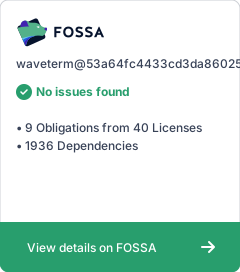](https://app.fossa.com/projects/git%2Bgithub.com%2Fwavetermdev%2Fwaveterm?ref=badge_large)
|
||||
- [Frontend](./disclaimers/frontend.md)
|
||||
- [Backend](./disclaimers/backend.md)
|
||||
|
||||
## Generating license disclaimers
|
||||
|
||||
The license disclaimers for the backend are generated using the [go-licenses](https://github.com/google/go-licenses) tool. We supply a template file ([`go_licenses_report.tpl`](./go_licenses_report.tpl)) to generate a pretty print of the disclaimers for each dependency. This outputs to the file [`backend.md`](./disclaimers/backend.md).
|
||||
|
||||
The license disclaimers for the frontend are generated using the [`yarn licenses` tool](https://classic.yarnpkg.com/lang/en/docs/cli/licenses/). This outputs to the file [`frontend.md`](./disclaimers/frontend.md).
|
||||
|
||||
These three disclaimer files linked above will be periodically regenerated to reflect new dependencies.
|
||||
|
||||
The [`scripthaus.md` file](../scripthaus.md) contains scripts to genrate the disclaimers and package them. To manually generate the disclaimers, run the following from the repository root directory:
|
||||
|
||||
```bash
|
||||
scripthaus run generate-license-disclaimers
|
||||
```
|
||||
|
||||
File diff suppressed because it is too large
Load Diff
File diff suppressed because one or more lines are too long
@@ -0,0 +1,16 @@
|
||||
# Wave Terminal Backend Acknowledgements
|
||||
|
||||
The following sets forth attribution notices for third party software that may be contained in portions of the Wave Terminal product.
|
||||
{{ range . }}
|
||||
## {{ .Name }}
|
||||
|
||||
* Name: {{ .Name }}
|
||||
* Version: {{ .Version }}
|
||||
* License: [{{ .LicenseName }}]({{ .LicenseURL }})
|
||||
|
||||
```txt
|
||||
{{ .LicenseText }}
|
||||
```
|
||||
|
||||
-----
|
||||
{{ end }}
|
||||
@@ -1,336 +0,0 @@
|
||||
[
|
||||
{
|
||||
"command": "system:toggleDeveloperTools",
|
||||
"keys": ["Cmd:Option:i"],
|
||||
"info": "Opens the chrome developer tool menu"
|
||||
},
|
||||
{
|
||||
"command": "system:hideWindow",
|
||||
"keys": ["Cmd:m"]
|
||||
},
|
||||
{
|
||||
"command": "generic:cancel",
|
||||
"keys": ["Escape"]
|
||||
},
|
||||
{
|
||||
"command": "generic:confirm",
|
||||
"keys": ["Enter"]
|
||||
},
|
||||
{
|
||||
"command": "generic:expandTextInput",
|
||||
"keys": ["Shift:Enter", "Ctrl:Enter"]
|
||||
},
|
||||
{
|
||||
"command": "generic:deleteItem",
|
||||
"keys": ["Backspace", "Delete"]
|
||||
},
|
||||
{
|
||||
"command": "generic:space",
|
||||
"keys": ["Space"]
|
||||
},
|
||||
{
|
||||
"command": "generic:tab",
|
||||
"keys": ["Tab"]
|
||||
},
|
||||
{
|
||||
"command": "generic:numpad-0",
|
||||
"keys": ["0"]
|
||||
},
|
||||
{
|
||||
"command": "generic:numpad-1",
|
||||
"keys": ["1"]
|
||||
},
|
||||
{
|
||||
"command": "generic:numpad-2",
|
||||
"keys": ["2"]
|
||||
},
|
||||
{
|
||||
"command": "generic:numpad-3",
|
||||
"keys": ["3"]
|
||||
},
|
||||
{
|
||||
"command": "generic:numpad-4",
|
||||
"keys": ["4"]
|
||||
},
|
||||
{
|
||||
"command": "generic:numpad-5",
|
||||
"keys": ["5"]
|
||||
},
|
||||
{
|
||||
"command": "generic:numpad-6",
|
||||
"keys": ["6"]
|
||||
},
|
||||
{
|
||||
"command": "generic:numpad-7",
|
||||
"keys": ["7"]
|
||||
},
|
||||
{
|
||||
"command": "generic:numpad-8",
|
||||
"keys": ["8"]
|
||||
},
|
||||
{
|
||||
"command": "generic:numpad-9",
|
||||
"keys": ["9"]
|
||||
},
|
||||
{
|
||||
"command": "generic:selectAbove",
|
||||
"keys": ["ArrowUp"]
|
||||
},
|
||||
{
|
||||
"command": "generic:selectBelow",
|
||||
"keys": ["ArrowDown"]
|
||||
},
|
||||
{
|
||||
"command": "generic:selectLeft",
|
||||
"keys": ["ArrowLeft"]
|
||||
},
|
||||
{
|
||||
"command": "generic:selectRight",
|
||||
"keys": ["ArrowRight"]
|
||||
},
|
||||
{
|
||||
"command": "generic:selectPageAbove",
|
||||
"keys": ["PageUp"]
|
||||
},
|
||||
{
|
||||
"command": "generic:selectPageBelow",
|
||||
"keys": ["PageDown"]
|
||||
},
|
||||
{
|
||||
"command": "app:openHistoryView",
|
||||
"keys": ["Cmd:h"]
|
||||
},
|
||||
{
|
||||
"command": "app:openTabSearchModal",
|
||||
"keys": ["Cmd:p"]
|
||||
},
|
||||
{
|
||||
"command": "app:openConnectionsView",
|
||||
"keys": [],
|
||||
"commandStr": ["/mainview connections"]
|
||||
},
|
||||
{
|
||||
"command": "app:openSettingsView",
|
||||
"keys": [],
|
||||
"commandStr": ["/mainview clientsettings"]
|
||||
},
|
||||
{
|
||||
"command": "app:newTab",
|
||||
"keys": ["Cmd:t"]
|
||||
},
|
||||
{
|
||||
"command": "app:focusCmdInput",
|
||||
"keys": ["Cmd:i"]
|
||||
},
|
||||
{
|
||||
"command": "app:focusSelectedLine",
|
||||
"keys": ["Cmd:l"]
|
||||
},
|
||||
{
|
||||
"command": "app:restartCommand",
|
||||
"keys": ["Cmd:r"],
|
||||
"info": "Restarts the command running in the current selected line"
|
||||
},
|
||||
{
|
||||
"command": "app:restartLastCommand",
|
||||
"keys": ["Cmd:Shift:r"]
|
||||
},
|
||||
{
|
||||
"command": "app:closeCurrentTab",
|
||||
"keys": ["Cmd:w"]
|
||||
},
|
||||
{
|
||||
"command": "app:selectLineAbove",
|
||||
"keys": ["Cmd:ArrowUp", "Cmd:PageUp"]
|
||||
},
|
||||
{
|
||||
"command": "app:selectLineBelow",
|
||||
"keys": ["Cmd:ArrowDown", "Cmd:PageDown"]
|
||||
},
|
||||
{
|
||||
"command": "app:selectTab-1",
|
||||
"keys": ["Cmd:1"]
|
||||
},
|
||||
{
|
||||
"command": "app:selectTab-2",
|
||||
"keys": ["Cmd:2"]
|
||||
},
|
||||
{
|
||||
"command": "app:selectTab-3",
|
||||
"keys": ["Cmd:3"]
|
||||
},
|
||||
{
|
||||
"command": "app:selectTab-4",
|
||||
"keys": ["Cmd:4"]
|
||||
},
|
||||
{
|
||||
"command": "app:selectTab-5",
|
||||
"keys": ["Cmd:5"]
|
||||
},
|
||||
{
|
||||
"command": "app:selectTab-6",
|
||||
"keys": ["Cmd:6"]
|
||||
},
|
||||
{
|
||||
"command": "app:selectTab-7",
|
||||
"keys": ["Cmd:7"]
|
||||
},
|
||||
{
|
||||
"command": "app:selectTab-8",
|
||||
"keys": ["Cmd:8"]
|
||||
},
|
||||
{
|
||||
"command": "app:selectTab-9",
|
||||
"keys": ["Cmd:9"]
|
||||
},
|
||||
{
|
||||
"command": "app:selectTabLeft",
|
||||
"keys": ["Cmd:["]
|
||||
},
|
||||
{
|
||||
"command": "app:selectTabRight",
|
||||
"keys": ["Cmd:]"]
|
||||
},
|
||||
{
|
||||
"command": "app:selectWorkspace-1",
|
||||
"keys": ["Cmd:Ctrl:1"]
|
||||
},
|
||||
{
|
||||
"command": "app:selectWorkspace-2",
|
||||
"keys": ["Cmd:Ctrl:2"]
|
||||
},
|
||||
{
|
||||
"command": "app:selectWorkspace-3",
|
||||
"keys": ["Cmd:Ctrl:3"]
|
||||
},
|
||||
{
|
||||
"command": "app:selectWorkspace-4",
|
||||
"keys": ["Cmd:Ctrl:4"]
|
||||
},
|
||||
{
|
||||
"command": "app:selectWorkspace-5",
|
||||
"keys": ["Cmd:Ctrl:5"]
|
||||
},
|
||||
{
|
||||
"command": "app:selectWorkspace-6",
|
||||
"keys": ["Cmd:Ctrl:6"]
|
||||
},
|
||||
{
|
||||
"command": "app:selectWorkspace-7",
|
||||
"keys": ["Cmd:Ctrl:7"]
|
||||
},
|
||||
{
|
||||
"command": "app:selectWorkspace-8",
|
||||
"keys": ["Cmd:Ctrl:8"]
|
||||
},
|
||||
{
|
||||
"command": "app:selectWorkspace-9",
|
||||
"keys": ["Cmd:Ctrl:9"]
|
||||
},
|
||||
{
|
||||
"command": "app:toggleSidebar",
|
||||
"keys": ["Cmd:Ctrl:s"]
|
||||
},
|
||||
{
|
||||
"command": "app:deleteActiveLine",
|
||||
"keys": ["Cmd:d"]
|
||||
},
|
||||
{
|
||||
"command": "app:openBookmarksView",
|
||||
"keys": ["Cmd:b"],
|
||||
"commandStr": ["/bookmarks:show"]
|
||||
},
|
||||
{
|
||||
"command": "bookmarks:edit",
|
||||
"keys": ["e"]
|
||||
},
|
||||
{
|
||||
"command": "bookmarks:copy",
|
||||
"keys": ["c"]
|
||||
},
|
||||
{
|
||||
"command": "cmdinput:autocomplete",
|
||||
"keys": ["Tab"]
|
||||
},
|
||||
{
|
||||
"command": "cmdinput:expandInput",
|
||||
"keys": ["Cmd:e"]
|
||||
},
|
||||
{
|
||||
"command": "cmdinput:clearInput",
|
||||
"keys": ["Ctrl:c"]
|
||||
},
|
||||
{
|
||||
"command": "cmdinput:cutLineLeftOfCursor",
|
||||
"keys": ["Ctrl:u"]
|
||||
},
|
||||
{
|
||||
"command": "cmdinput:previousHistoryItem",
|
||||
"keys": ["Ctrl:p"]
|
||||
},
|
||||
{
|
||||
"command": "cmdinput:nextHistoryItem",
|
||||
"keys": ["Ctrl:n"]
|
||||
},
|
||||
{
|
||||
"command": "cmdinput:cutWordLeftOfCursor",
|
||||
"keys": ["Ctrl:w"]
|
||||
},
|
||||
{
|
||||
"command": "cmdinput:paste",
|
||||
"keys": ["Ctrl:y"]
|
||||
},
|
||||
{
|
||||
"command": "cmdinput:openHistory",
|
||||
"keys": ["Ctrl:r"],
|
||||
"commandStr": ["/history"]
|
||||
},
|
||||
{
|
||||
"command": "cmdinput:openAIChat",
|
||||
"keys": ["Ctrl:Space"]
|
||||
},
|
||||
{
|
||||
"command": "history:closeHistory",
|
||||
"keys": ["Ctrl:g", "Ctrl:c"]
|
||||
},
|
||||
{
|
||||
"command": "history:toggleShowRemotes",
|
||||
"keys": ["Cmd:r", "Ctrl:r"]
|
||||
},
|
||||
{
|
||||
"command": "history:changeScope",
|
||||
"keys": ["Ctrl:s", "Cmd:s"]
|
||||
},
|
||||
{
|
||||
"command": "history:selectNextItem",
|
||||
"keys": ["Ctrl:n"]
|
||||
},
|
||||
{
|
||||
"command": "history:selectPreviousItem",
|
||||
"keys": ["Ctrl:p"]
|
||||
},
|
||||
{
|
||||
"command": "aichat:clearHistory",
|
||||
"keys": ["Ctrl:l"]
|
||||
},
|
||||
{
|
||||
"command": "terminal:copy",
|
||||
"keys": ["Ctrl:Shift:c"]
|
||||
},
|
||||
{
|
||||
"command": "terminal:paste",
|
||||
"keys": ["Ctrl:Shift:v"]
|
||||
},
|
||||
{
|
||||
"command": "codeedit:save",
|
||||
"keys": ["Cmd:s"]
|
||||
},
|
||||
{
|
||||
"command": "codeedit:close",
|
||||
"keys": ["Cmd:d"]
|
||||
},
|
||||
{
|
||||
"command": "codeedit:togglePreview",
|
||||
"keys": ["Cmd:p"]
|
||||
}
|
||||
]
|
||||

Binary file not shown.
|
After Width: | Height: | Size: 306 KiB |

Binary file not shown.
|
Before Width: | Height: | Size: 217 KiB |
+1
-2
@@ -1,4 +1,3 @@
|
||||
*builds/
|
||||
*-staged/
|
||||
*/
|
||||
*.zip
|
||||
*.dmg
|
||||
|
||||
@@ -1,71 +0,0 @@
|
||||
# Building for release
|
||||
|
||||
## Build Helper workflow
|
||||
|
||||
Our release builds are managed by the "Build Helper" GitHub Action, which is defined
|
||||
in [`build-helper.yml`](../.github/workflows/build-helper.yml).
|
||||
|
||||
Under the hood, this will call the `build-package` and `build-package-linux` scripts in
|
||||
[`scripthaus.md`](../scripthaus.md), which will build the Electron codebase using
|
||||
WebPack and then the `wavesrv` and `mshell` binaries, then it will call `electron-builder`
|
||||
to generate the distributable app packages. The configuration for `electron-builder`
|
||||
is [`electron-builder.config.js`](../electron-builder.config.js).
|
||||
|
||||
This will also sign and notarize the macOS app package.
|
||||
|
||||
Once a build is complete, it will be placed in `s3://waveterm-github-artifacts/staging/<version>`.
|
||||
It can be downloaded for testing using the [`download-staged-artifact.sh`](./download-staged-artifact.sh)
|
||||
script. When you are ready to publish the artifacts to the public release feed, use the
|
||||
[`publish-from-staging.sh`](./publish-from-staging.sh) script to directly copy the artifacts from
|
||||
the staging bucket to the releases bucket.
|
||||
|
||||
## Automatic updates
|
||||
|
||||
Thanks to `electron-updater`, we are able to provide automatic app updates for macOS and Linux,
|
||||
as long as the app was distributed as a DMG, AppImage, RPM, or DEB file.
|
||||
|
||||
With each release, `latest-mac.yml` and `latest-linux.yml` files will be produced that point to the
|
||||
newest release. These also include file sizes and checksums to aid in validating the packages. The app
|
||||
will check these files in our S3 bucket every hour to see if a new version is available.
|
||||
|
||||
## Local signing and notarizing for macOS (Deprecated)
|
||||
|
||||
The [`prepare-macos.sh`](./deprecated/prepare-macos.sh) script will download the latest build
|
||||
artifacts from S3 and sign and notarize the macOS binaries within it. It will then
|
||||
generate a DMG and a new ZIP archive with the new signed app.
|
||||
|
||||
This will call a few different JS scripts to perform more complicated operations.
|
||||
[`osx-sign.js`](./deprecated/osx-sign.js) and [`osx-notarize.js`](./deprecated/osx-notarize.js) call
|
||||
underlying Electron APIs to sign and notarize the package.
|
||||
[`update-latest-mac.js`](./deprecated/update-latest-mac.js) will then update the `latest-mac.yml`
|
||||
file with the SHA512 checksum and file size of the new signed and notarized installer. This
|
||||
is important for the `electron-updater` auto-update mechanism to then find and validate new releases.
|
||||
|
||||
## Uploading release artifacts for distribution (Deprecated)
|
||||
|
||||
### Upload script
|
||||
|
||||
Once the build has been fully validated and is ready to be released, the
|
||||
[`upload-release.sh`](./deprecated/upload-release.sh) script is then used to grab the completed
|
||||
artifacts and upload them to the `dl.waveterm.dev` S3 bucket for distribution.
|
||||
|
||||
### Homebrew
|
||||
|
||||
Homebrew currently requires a manual bump of the version, but now that we have auto-updates,
|
||||
we should add our cask to the list of apps that can be automatically bumped.
|
||||
|
||||
### Linux
|
||||
|
||||
We do not currently submit the Linux packages to any of the package repositories. We
|
||||
are working on addressing this in the near future.
|
||||
|
||||
## `electron-build` configuration
|
||||
|
||||
Most of our configuration is fairly standard. The main exception to this is that we exclude
|
||||
our Go binaries from the ASAR archive that Electron generates. ASAR files cannot be executed
|
||||
by NodeJS because they are not seen as files and therefore cannot be executed via a Shell
|
||||
command. More information can be found
|
||||
[here](https://www.electronjs.org/docs/latest/tutorial/asar-archives#executing-binaries-inside-asar-archive).
|
||||
|
||||
We also exclude most of our `node_modules` from packaging, as WebPack handles packaging
|
||||
of any dependencies for us. The one exception is `monaco-editor`.
|
||||
@@ -0,0 +1,20 @@
|
||||
const eu = require("@electron/universal");
|
||||
const path = require("path");
|
||||
|
||||
const x64Path = path.resolve(__dirname, "temp", "x64", "Wave.app");
|
||||
const arm64Path = path.resolve(__dirname, "temp", "arm64", "Wave.app");
|
||||
const outPath = path.resolve(__dirname, "temp", "Wave.app");
|
||||
|
||||
console.log("building universal package");
|
||||
console.log("x64 path", x64Path);
|
||||
console.log("arm64 path", arm64Path);
|
||||
console.log("output path", outPath);
|
||||
|
||||
(async () => {
|
||||
await eu.makeUniversalApp({
|
||||
x64AppPath: x64Path,
|
||||
arm64AppPath: arm64Path,
|
||||
outAppPath: outPath,
|
||||
});
|
||||
console.log("created macos universal app");
|
||||
})();
|
||||
@@ -0,0 +1,97 @@
|
||||
#!/bin/bash
|
||||
# This script is used to build the universal app for macOS
|
||||
|
||||
SCRIPT_DIR=$( cd -- "$( dirname -- "${BASH_SOURCE[0]}" )" &> /dev/null && pwd )
|
||||
|
||||
rm -f *.zip *.dmg
|
||||
ZIP_DIR=$SCRIPT_DIR/zip
|
||||
rm -rf $ZIP_DIR
|
||||
mkdir $ZIP_DIR
|
||||
TEMP_DIR=$SCRIPT_DIR/temp
|
||||
rm -rf $TEMP_DIR
|
||||
mkdir $TEMP_DIR
|
||||
BUILDS_DIR=$SCRIPT_DIR/builds
|
||||
rm -rf $BUILDS_DIR
|
||||
|
||||
# Download the builds zip
|
||||
aws s3 cp s3://waveterm-github-artifacts/waveterm-builds.zip .
|
||||
BUILDS_ZIP=waveterm-builds.zip
|
||||
if ! [ -f $BUILDS_ZIP ]; then
|
||||
echo "no $BUILDS_ZIP found";
|
||||
exit 1;
|
||||
fi
|
||||
echo "unzipping $BUILDS_ZIP"
|
||||
unzip -q $BUILDS_ZIP -d $BUILDS_DIR
|
||||
rm $BUILDS_ZIP
|
||||
|
||||
# Ensure we have exactly one of each build
|
||||
find_build()
|
||||
{
|
||||
local BUILD_DIR=$1
|
||||
local BUILD_PATTERN=$2
|
||||
local BUILD_PATH=$(find $BUILD_DIR -type f -iname "$BUILD_PATTERN")
|
||||
local NUM_MATCHES=$(echo $BUILD_PATH | wc -l)
|
||||
if [ "0" -eq "$NUM_MATCHES" ]; then
|
||||
echo "no $BUILD_NAME found in $BUILD_DIR"
|
||||
exit 1
|
||||
elif [ "1" -lt "$NUM_MATCHES" ]; then
|
||||
echo "multiple $BUILD_NAME found in $BUILD_DIR"
|
||||
exit 1
|
||||
fi
|
||||
echo $BUILD_PATH
|
||||
}
|
||||
|
||||
X64_ZIP=$(find_build $BUILDS_DIR "Wave-darwin-x64-*.zip")
|
||||
ARM64_ZIP=$(find_build $BUILDS_DIR "Wave-darwin-arm64-*.zip")
|
||||
set -e
|
||||
|
||||
echo "unzipping zip files"
|
||||
unzip -q $X64_ZIP -d $TEMP_DIR/x64
|
||||
unzip -q $ARM64_ZIP -d $TEMP_DIR/arm64
|
||||
rm $ARM64_ZIP $X64_ZIP
|
||||
|
||||
# Create universal app and sign and notarize it
|
||||
TEMP_WAVE_DIR_ARM=$TEMP_DIR/x64/Wave.app
|
||||
TEMP_WAVE_DIR_X64=$TEMP_DIR/arm64/Wave.app
|
||||
TEMP_WAVE_DIR_UNIVERSAL=$TEMP_DIR/Wave.app
|
||||
lipo -create -output $TEMP_DIR/wavesrv $TEMP_WAVE_DIR_X64/Contents/Resources/app/bin/wavesrv $TEMP_WAVE_DIR_ARM/Contents/Resources/app/bin/wavesrv
|
||||
rm -rf $TEMP_WAVE_DIR_ARM/Contents/Resources/app
|
||||
mv $TEMP_WAVE_DIR_X64/Contents/Resources/app $TEMP_DIR
|
||||
cp $TEMP_DIR/wavesrv $TEMP_DIR/app/bin/wavesrv
|
||||
mkdir $TEMP_WAVE_DIR_ARM/Contents/Resources/app
|
||||
mkdir $TEMP_WAVE_DIR_X64/Contents/Resources/app
|
||||
node $SCRIPT_DIR/build-universal.js
|
||||
rm -rf $TEMP_WAVE_DIR_UNIVERSAL/Contents/Resources/app
|
||||
mv $TEMP_DIR/app $TEMP_WAVE_DIR_UNIVERSAL/Contents/Resources/app
|
||||
node $SCRIPT_DIR/osx-sign.js
|
||||
DEBUG=electron-notarize node $SCRIPT_DIR/osx-notarize.js
|
||||
echo "universal app creation success (build/sign/notarize)"
|
||||
|
||||
UVERSION=$(cat $BUILDS_DIR/version.txt)
|
||||
DMG_NAME="waveterm-macos-universal-${UVERSION}.dmg"
|
||||
ZIP_NAME="Wave-macos-universal-${UVERSION}.zip"
|
||||
|
||||
echo "creating universal zip"
|
||||
ditto $TEMP_WAVE_DIR_UNIVERSAL $ZIP_DIR/Wave.app
|
||||
cd $ZIP_DIR
|
||||
zip -9yqr $ZIP_NAME Wave.app
|
||||
mv $ZIP_NAME $BUILDS_DIR/
|
||||
cd $SCRIPT_DIR
|
||||
|
||||
# Expects create-dmg repo to be cloned in the same parent directory as the waveterm repo.
|
||||
echo "creating universal dmg"
|
||||
$SCRIPT_DIR/../../create-dmg/create-dmg \
|
||||
--volname "WaveTerm" \
|
||||
--window-pos 200 120 \
|
||||
--window-size 600 300 \
|
||||
--icon-size 100 \
|
||||
--icon "Wave.app" 200 130 \
|
||||
--hide-extension "Wave.app" \
|
||||
--app-drop-link 400 125 \
|
||||
$DMG_NAME \
|
||||
"$TEMP_WAVE_DIR_UNIVERSAL"
|
||||
echo "success, created $DMG_NAME"
|
||||
mv $DMG_NAME $BUILDS_DIR/
|
||||
spctl -a -vvv -t install $TEMP_WAVE_DIR_UNIVERSAL/
|
||||
|
||||
rm -rf $TEMP_DIR $ZIP_DIR
|
||||
@@ -1,46 +0,0 @@
|
||||
// Usage: node generate-hash.js <path-to-installer>
|
||||
// Example: node generate-hash.js ./make/Wave-0.0.1.dmg
|
||||
// This script will generate a hash of the installer file, as defined by electron-builder.
|
||||
// Courtesy of https://github.com/electron-userland/electron-builder/issues/3913#issuecomment-504698845
|
||||
|
||||
const path = require("path");
|
||||
const fs = require("fs");
|
||||
const crypto = require("crypto");
|
||||
|
||||
/**
|
||||
* Generate a hash of a file, as defined by electron-builder
|
||||
* @param {string} file - Path to the file
|
||||
* @param {string} algorithm - Hash algorithm to use
|
||||
* @param {string} encoding - Encoding to use
|
||||
* @returns {Promise<string>} - The hash of the file
|
||||
*/
|
||||
async function hashFile(file, algorithm = "sha512", encoding = "base64") {
|
||||
return new Promise((resolve, reject) => {
|
||||
const hash = crypto.createHash(algorithm);
|
||||
hash.on("error", reject).setEncoding(encoding);
|
||||
fs.createReadStream(file, {
|
||||
highWaterMark: 1024 * 1024,
|
||||
/* better to use more memory but hash faster */
|
||||
})
|
||||
.on("error", reject)
|
||||
.on("end", () => {
|
||||
hash.end();
|
||||
resolve(hash.read());
|
||||
})
|
||||
.pipe(hash, {
|
||||
end: false,
|
||||
});
|
||||
});
|
||||
}
|
||||
|
||||
if (require.main === module) {
|
||||
const installerPath = path.resolve(process.cwd(), process.argv[2]);
|
||||
(async () => {
|
||||
const hash = await hashFile(installerPath);
|
||||
console.log(`hash of ${installerPath}: ${hash}`);
|
||||
})();
|
||||
}
|
||||
|
||||
module.exports = {
|
||||
hashFile,
|
||||
};
|
||||
@@ -1,37 +0,0 @@
|
||||
// Notarize the Wave.app for macOS
|
||||
|
||||
const { notarize } = require("@electron/notarize");
|
||||
const path = require("path");
|
||||
|
||||
/**
|
||||
* Notarize the Wave.app for macOS
|
||||
* @param {string} waveAppPath - Path to the Wave.app
|
||||
* @returns {Promise<void>}
|
||||
*/
|
||||
async function notarizeApp(waveAppPath) {
|
||||
return notarize({
|
||||
appPath: waveAppPath,
|
||||
tool: "notarytool",
|
||||
keychainProfile: "notarytool-creds",
|
||||
})
|
||||
.then(() => {
|
||||
console.log("notarize success");
|
||||
})
|
||||
.catch((e) => {
|
||||
console.log("notarize error", e);
|
||||
process.exit(1);
|
||||
});
|
||||
}
|
||||
|
||||
if (require.main === module) {
|
||||
console.log("running osx-notarize");
|
||||
const waveAppPath = path.resolve(__dirname, "temp", "Wave.app");
|
||||
(async () => {
|
||||
await notarizeApp(waveAppPath);
|
||||
console.log("notarization complete");
|
||||
})();
|
||||
}
|
||||
|
||||
module.exports = {
|
||||
notarizeApp,
|
||||
};
|
||||
Some files were not shown because too many files have changed in this diff Show More
Reference in New Issue
Block a user