 Brandon
5d346a77ee
Brandon
5d346a77ee
# iOS: Preserve Aspect Ratio When Applying Device Presets

## Summary

This pull request removes Aspect Ratio from the built-in Device Presets under:

```text
Settings > Settings Presets > Device Presets
```

Applying Default, Ultra Quality, High Quality, High Quality 30 FPS, Performance, or Ultra Performance now preserves the Aspect Ratio already selected by the user.

## Problem

The built-in quality and performance presets previously treated Aspect Ratio as part of their managed configuration:

- Default changed Aspect Ratio to Auto.
- The quality and performance presets changed Aspect Ratio to Stretch to Window.

Aspect Ratio is a display preference rather than a performance tier. Applying a graphics or emulation preset could therefore unexpectedly stretch or reshape the image, even when the user wanted to keep a native, automatic, 4:3, 16:9, or custom display choice.

Aspect Ratio was also included in the preset-active comparison. If a user changed only Aspect Ratio after applying a Device Preset, the preset would stop displaying as active even though every setting that the preset should manage still matched.

## Changes

### Device Preset application

Removed the assignment that wrote the built-in preset configuration into:

```swift
settings.aspectRatio
```

Applying any built-in Device Preset now leaves the current Aspect Ratio unchanged.

### Active-preset detection

Removed Aspect Ratio from `BuiltInSettingsPreset.isActive` matching.

The selected indicator now reflects only the settings actually managed by Device Presets. A user can change Aspect Ratio independently without making an otherwise matching Device Preset appear inactive.

### Preset configuration model

Removed the unused `aspectRatio` field and its preset-specific values from the private built-in `Configuration` structure.

This prevents Aspect Ratio from being accidentally restored to Device Preset application in a later refactor and keeps the configuration model aligned with actual behavior.

### User-facing descriptions

Updated the detailed descriptions for Default and Ultra Quality:

- Default no longer states that it restores Aspect Ratio to Auto.
- Ultra Quality no longer states that it changes Aspect Ratio to Stretch to Window.

The Device Presets footer can therefore continue to state that presets change only the listed settings.

## Preserved behavior

This change is intentionally limited to the built-in Device Presets.

The following behavior is unchanged:

- Manual Aspect Ratio selection in Graphics settings.
- Per-game Aspect Ratio overrides.
- Exporting Aspect Ratio in user-created `.ini` preset files.
- Importing Aspect Ratio from user-created `.ini` preset files.
- Internal Resolution settings in all Device Presets.
- FXAA and CAS Sharpening settings.
- Queue Size settings.
- Fast Boot, PNACH, widescreen patch, Fast CDVD, OPH Flag Hack, and Emulation-Only Mode settings.
- Background visibility and Virtual Pad skin behavior.

## Result by preset

| Device Preset | Previous Aspect Ratio behavior | New behavior |
| --- | --- | --- |
| Default | Forced Auto | Preserves current value |
| Ultra Quality | Forced Stretch to Window | Preserves current value |
| High Quality | Inherited Stretch to Window | Preserves current value |
| High Quality 30 FPS | Inherited Stretch to Window | Preserves current value |
| Performance | Inherited Stretch to Window | Preserves current value |
| Ultra Performance | Inherited Stretch to Window | Preserves current value |

## Performance impact

There is no runtime emulation performance cost. Preset application performs one fewer setting assignment and active-preset detection performs one fewer comparison.

The change does not affect the renderer, emulation threads, game boot, frame pacing, or gameplay resource usage.

## Changed file

- `platforms/ios/app/src/main/swift/Models/SettingsPresetCatalog.swift`

## Integration

The worktree was rebased onto the latest `origin/master` before this change was applied.

Base revision:

```text
daed4ed4a7
```

## Validation

- Confirmed that `SettingsPresetCatalog.swift` no longer references Aspect Ratio.
- Confirmed that custom preset import/export support remains present in `SettingsPresetFile.swift`.
- `git diff --check` passed for the changed preset catalog.
- Full unsigned iOS IPA build completed successfully with `build-ios-ipa.sh`.
ARMSX2 — Native ARM64 JIT Fork of PCSX2

ARMSX2 is a free and open-source PlayStation 2 (PS2) emulator based on PCSX2. Its purpose is to emulate the PS2's hardware, using a combination of MIPS CPU Interpreters, Recompilers and a Virtual Machine which manages hardware states and PS2 system memory. This allows you to play PS2 games on your phone, PC, or gaming handheld, with many additional features and benefits.
Thank You
The ARMSX2 team is eternally indebted to the PCSX2 project it is based on. We are so fortunate to build on their 20 years of hardcore development.
About This Fork
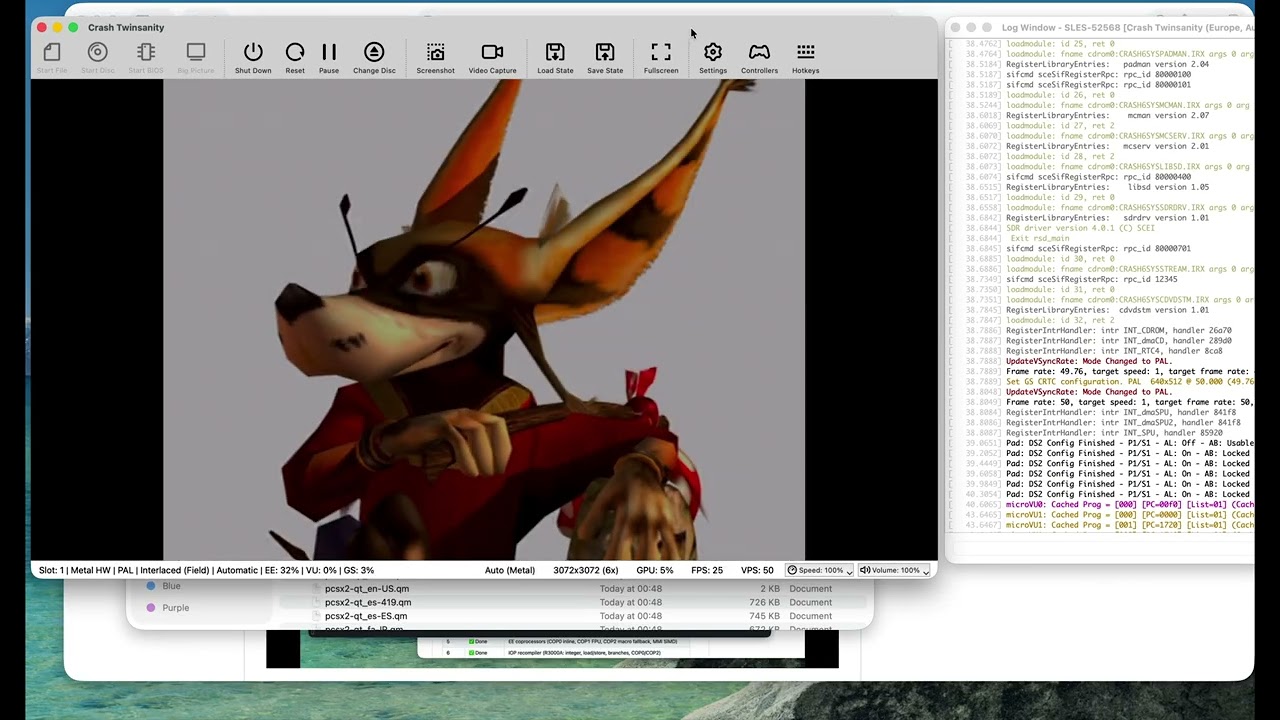
The upstream PCSX2 project ships an ARM64 interpreter build for ARM, but its high-performance JIT recompilers (EE, IOP, VU0, VU1, and vtlb fast memory) are x86-64 only.
This fork exists to close that gap. The goal is to preserve the correctness features of 20 years of PCSX2 development, while generating the fastest native ARM performance possible.
Current status:
- ✅ EE (Emotion Engine) recompiler — integer, float, MMI, COP0/COP1/COP2, branches, load/store
- ✅ IOP (I/O Processor / R3000A) recompiler — full integer, load/store, branches, coprocessors
- ✅ VU (Vector Unit) recompiler — microVU skeleton + Upper FMAC vector ISA complete; Lower ISA and runtime complete
- ✅ vtlb fast memory
- ✅ Native ARM64 binary builds and boots the PS2 BIOS
- ✅ 2D games are already playable
- ✅ 3D games run
Why LLMs / AI Were Used
A word on methodology:
The x86-64 JIT code in upstream ARMSX2 is already proven correct — it has run thousands of PS2 titles for years. The challenge in this port is not emulator design or JIT theory; it is mechanical translation of a large, well-understood x86-64 assembly codebase into equivalent ARM64 assembly (via VIXL) while preserving the exact same register-allocation contracts, block lifecycle, and recompiler semantics.
Large language models (LLMs) were used as an accelerant for this translation work — pattern-matching x86 JIT boilerplate to ARM64 equivalents, scaffolding emit routines, and keeping the porting velocity high. The JIT logic (block compiler, dispatcher, analysis passes, flag pipelines, clamping rules, Tri-Ace hacks, etc.) is taken directly from the upstream x86 implementation and validated against it. Nothing was hallucinated from scratch.
In other words: the hard engineering was done by the PCSX2 team over two decades. The hard typing — translating ~50k lines of x86 emitter code into ARM64 — is what AI helped compress.
System Requirements
ARMSX2 targets ARM64 across desktop (macOS, Windows, Linux) and mobile (Android, iOS/iPadOS), all from the single shared core. Our setup documentation page contains additional details on software and hardware requirements.
Please note that a BIOS dump from a legitimately-owned PS2 console is required to use the emulator. For more information, visit this page.
Building
Check out our github actions for the latest build recipe