
8.6 KiB
DKR Assets
This document explains the different kinds of assets in Diddy Kong Racing.
The assets folder is not included within the repository itself, but rather extracted from a vanilla Diddy Kong Racing ROM file. You will need to provide your own ROM file and place it within the /baseroms/ directory.
Structure of the assets folder
assets/
  us_1.0/
     animations/ | All the animations used by 3D models.
     audio/      | All the instruments, sound effects, and music tracks.
     billboards/ | Information for the 2D billboards.
     bin/        | All the unknown/miscellaneous files.
     cheats/     | All of the "Magic Codes" and their descriptions.
     fonts/      | Information on the 4 fonts used in the game.
     levels/     | Level headers, names, models, and object maps
     objects/    | Object headers and models.
     particles/  | Information on particles and their behaviors.
     text/       | Tables containing game & menu text.
     textures/
         2d/     | Textures used by Fonts/Sprites/Billboards.
         3d/     | Textures used by 3D models.
     tt_ghosts/  | Information on the T.T. ghost for the 20 main tracks.
     ucode/      | RSP Microcodes
File types
.bin: Standard binary file.
.cbin: Binary file that will be compressed during building.
.cheats: Formatted text file for the magic codes.
.png: Image file used for textures.
Asset types
Animations
No notes have been created at this time. However, according to SubDrag, the format itself is simple. Click the image below to see his video.
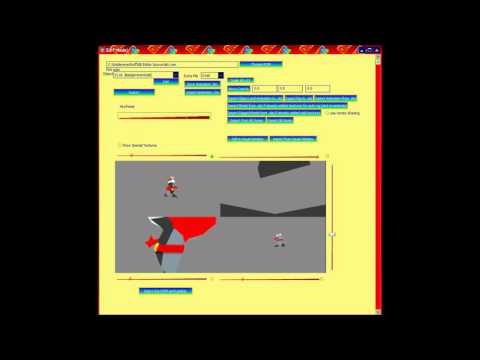
TODO: More notes are needed.
Audio
Currently, the instruments, sound effects, and songs are all part of the giant 3.85 MB audio.6cc230.bin file. This is because the offsets for all the look-up tables are relative to the rom offset 0x6CC230, so I thought it would be confusing to seperate the bin files.
| Table name | offset in file |
|---|---|
| Instruments | 0xBACC |
| Sound effects | 0xC7AEC |
| Music tracks | 0x38E44C |
The audio_header.6cc1f0.bin file contains a table with offsets to different parts of theaudio.6cc230.bin file.
TODO: More notes are needed.
Billboards
The billboard files contain information on the textures and positioning.
| Offset | Type | Description |
|---|---|---|
| 0x00 | u16 | Starting texture index |
| 0x02 | u16 | Number of textures |
| 0x04 | u16 | X/Width coordinate? |
| 0x06 | u16 | Y/Height coordinate? |
| 0x08 | u32 | Unknown |
| 0x0C | u8[] | Texture indicies, length varies based on the number of textures |
TODO: More notes are needed.
Bin
Directory that contains unknown/uncategorized files.
Cheats
The magic codes are encrypted in the ROM by moving the bits around every 4 bytes in the file using this symmetric algorithm: https://pastebin.com/raw/d875C5LV
The magic_codes.3833a0.cheats file contains all the magic codes in the game along with the description of the cheat. Once the ROM becomes shiftable, then adding in new cheats will be as simple as adding a new line to this file. Do note that the game can only support up to 32 cheats.
"1058732594", "Control T.T."
"8649305321", "Control Drumstick"
"0986754321", "Mirrored tracks"
"1234567890", "High Speed Racing"
"ARNOLD", "Big Characters"
"TEENYWEENIES", "Small Characters"
"JUKEBOX", "Music Menu"
"FREEFRUIT", "Start With 10 Bananas"
"BLABBERMOUTH", "Horn Cheat"
"8846325012", "Print coords"
"WHODIDTHIS", "Display Credits"
"BYEBYEBALLOONS", "Disable Weapons"
"NOYELLOWSTUFF", "Disable Bananas"
"BOGUSBANANAS", "Bananas Reduce Speed"
"VITAMINB", "No Limit To Bananas"
"BOMBSAWAY", "All Balloons are Red"
"TOXICOFFENDER", "All Balloons are Green"
"ROCKETFUEL", "All Balloons are Blue"
"BODYARMOR", "All Balloons are Yellow"
"OPPOSITESATTRACT", "All Balloons are Rainbow"
"FREEFORALL", "Maximum Power Up"
"ZAPTHEZIPPERS", "Turn Off Zippers"
"DOUBLEVISION", "Select Same Player"
"OFFROAD", "Four Wheel Drive"
"JOINTVENTURE", "Two Player Adventure"
"TIMETOLOSE", "Ultimate AI"
"EOLAOBFENRLONE", "Free Balloon"
"EPC", "EPC Lock Up Display"
"DODGYROMMER", "ROM checksum"
Fonts
Contains information for the 4 fonts used by the game. You can find the textures for the fonts within the /textures/2d/ directory.
TODO: More notes are needed.
Levels
There are 5 kinds of files (exluding the lookup tables):
- Level Names
- Level Headers
- Level Models
- Level Object Maps
- Level Object ID to Object Header translation table
The level headers contain information to how the level is setup. It connects the level model, object maps, backgrounds, music, camera settings, etc. You can find some information about the header in this old JUL post from 2011.
The level models contain information to the 3D geometry and collision.
TODO: Link to more detailed documentation.
A level object map contains a list of objects used in the level. The first 0x10 bytes is the header, and each object has a variable number of bytes determined by it's second byte AND'd by 0x7F. The ID of the object is determined by first byte OR'd with the highest bit within the second byte shifted left by 8.
TODO: Link to more detailed documentation.
The level object id translation table (level_object_translate_table.6cbde0.bin) contains 512 u16 values. It is used to convert the 9-bit id number from the level object map into an object header ID.
Level names aren't directly linked to the headers. There are the same number of names as headers, so I assume the level header ID is the same as the level name ID.
TODO: More notes are needed.
Objects
The objects folder has 2 main file types:
- Object Headers
- Object Models
Just like levels, the object header is used to define the attributes of an object. The object model format is somewhat similar to level models. TODO: More notes are needed. Link to more detailed documentation.
Particles
Contains information related to the different particles used by the game. The particle files relate to the textures used, and the particleBehavior files relate to how the particles behave.
TODO: More notes are needed.
Text
Contains the English, French, and German text for gameplay and the menus.
TODO: More notes are needed.
Textures
There are two different look-up tables relating to textures. There is one for the 3D models for levels & objects, and another for 2D billboards, fonts, etc.
In this decomp every texture has it's own .png file with a specific filename. The filename is important for building.
Examples:
texture.0ecd50.CFS.00000008000.rgba16.png
texture.0fee30.8.CFS.00000000080.rgba32.png
texture.2b5990.CNZ.0140604D100.ia8.png
texture.2e3530.10.CNS.00000000000.rgba32.png
The filename format is:
<name>.<rom_offset>[.<number_frames>].<flags>.<header_bytes>.<format>.png
<name> = The name of the texture, currently just "texture" for all of them.
<rom_offset> = The offset within the ROM file.
<number_frames> = Number of frames in an animated image. Optional.
<flags> = 3 characters determining different aspects about the texture.
  Char 0: `C` if the texture is compressed, or `U` if not compressed.
  Char 1: `F` if the texture should be flipped vertically, or `N` if not flipped.
  Char 2: `S` if the texture size is computed in the header, or `Z` for zero.
<header_bytes> = 5 1/2 hex bytes needed to recreate the texture header.
  Hex digit 0: Upper 4 bits of header byte 0x02
  Hex digits 1-2: header byte 0x03
  Hex digits 3-4: header byte 0x04
  Hex digits 5-6: header byte 0x06
  Hex digits 7-8: header byte 0x07
  Hex digits 9-10: header byte 0x15
<format> = N64 texture format
  rgba32: 8 bits red, green, blue, alpha (transparency)
  rgba16: 5 bits red, green, blue, 1 bit alpha
  i8: 8 bits grayscale, no alpha
  i4: 4 bits grayscale, no alpha
  ia16: 8 bits grayscale, 8 bits alpha
  ia8: 4 bits grayscale, 4 bits alpha
  ia4: 3 bits grayscale, 1 bit alpha
  ci formats are currently not supported.
TODO: More notes are needed.
T.T. Ghosts
Contains ghost data of T.T. for each of the 20 main tracks. The first byte is the level ID, and the second byte is the vehicle id (0 = car, 1 = hover, 2 = plane).
TODO: More notes are needed.
Microcode
DKR uses a modified version of Fast3D that draws lists of triangles instead of individual ones.
TODO: More notes are needed.