You've already forked documentation
mirror of
https://github.com/armbian/documentation.git
synced 2026-01-06 10:13:36 -08:00

2.9 KiB
2.9 KiB
Allwinner A10 & A20 boards
Overview
Both legacy and current kernels are stable and production ready and mostly sharing the same features through backports.
- Note: Kernel 3.4.x has been dropped due to lacking upstream support which has ended in 2017.
Features
- Enabled audio devices: analog, 8 channel HDMI, spdif and I2S (if wired and enabled in HW configuration)
- Bluetooth ready (working with supported external keys)
- Enabled overlayfs (outdated)
- I2C ready and tested with small 16×2 LCD. Basic i2c tools included.
- SPI ready and tested with ILI9341 based 2.4″ TFT LCD display.
- Drivers for small TFT LCD display modules.
- Clustering / stacking
- Onboard LED attached to SD card activity (script.bin)
- Docker ready
- Enabled audio devices: analog, SPDIF (if available) & USB
- USB / UAS – more efficient disk access over USB (A20 and H3)
- CAN bus – Controller Area Network
- USB OTG connector – OTG or host mode
- Bluetooth ready (working with supported external keys)
- I2C ready and tested with small 16×2 LCD. Basic i2c tools included.
- Onboard LED attached to SD card activity (not enabled on all boards yet)
Bugs or limitation
- NAND install sometime fails. Workaround: install
Lubuntu to NANDwithPhoenix toolsand run install again. (Links no longer available - 27/01/21 Werner) - Shutdown results into reboot under certain conditions.
- SATA port multiplier support is disabled by default, can be enabled by adding kernel parameter
ahci_sunxi.enable_pmp=1 - Screen output from kernel is set to HDMI by default. Boot loader can detect and switch, kernel not.
Desktop
- HW accelerated video playback (if available)
- MALI Open GLES (if available)
- Pre-installed: Firefox, LibreOffice Writer, Thunderbird
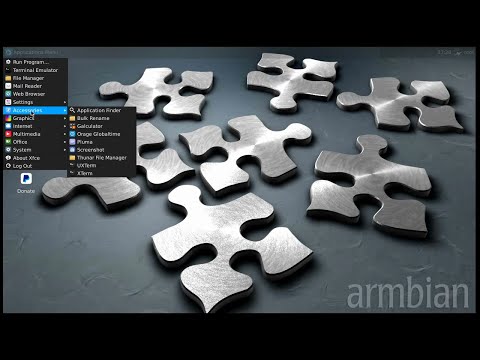
- Lightweight XFCE desktop
- Autologin, when normal user is created – no login manager (/etc/default/nodm)
Notes
Setting non-standard monitor settings for A10, A20 and A31 based boards in u-boot
Following commands (example) needs to be executed in u-boot command prompt:
setenv video-mode sunxi:1024x768-24@60,monitor=dvi,hpd=0,edid=0,overscan_x=1,overscan_y=2
saveenv
Since environment is reset after flashing u-boot, you need to do this after every u-boot upgrade or put this to u-boot script